
This guide will teach you how to add a rDNS record to your dedicated server IPs with Go Dedicated.
Note: VPS Servers are not allowed to set rDNS records, this is only for dedicated servers
Step 1:
Log into your billing account with us
Step 2:
Navigate to your product on our billing site
Step 3:
You will be presented with the main page (where you can manage the service)
Click the 'Manage on SynergyCP' button.
Step 4:
Scroll down on the server you want to edit, you will see a drop down called 'rDNS Management' open this.
Step 5:
In here you can enter the rDNS records you want to set.
Once you are happy, click save.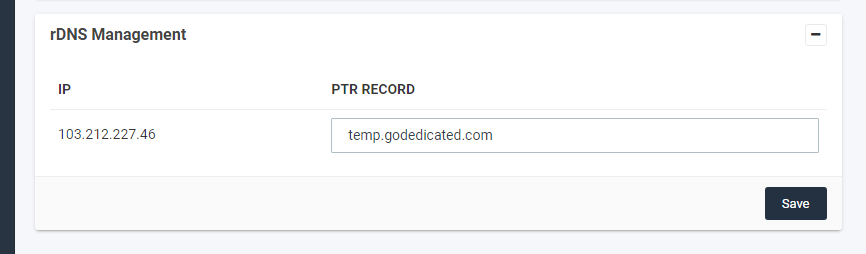
Note:
To remove a rDNS record, you simply need to remove the domain and click save again.


