
Step 1:
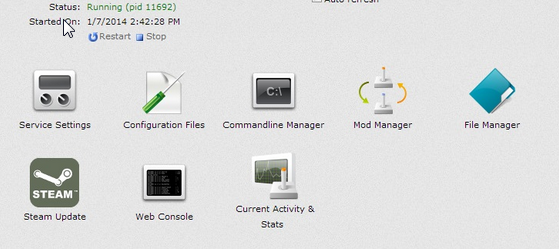
Log into your game panel and click 'stop' on your service, we suggest you save your server in game first. (This is very important)
Step 2:
Click 'Mod Manager' from the icon menu

Step 3:
Click uninstall on the mod you wish to have removed from your server (this won't actually unistall it, it will simply allow you to install it at a later date)

Step 4:
Select File Manager from the icons
Step 5:
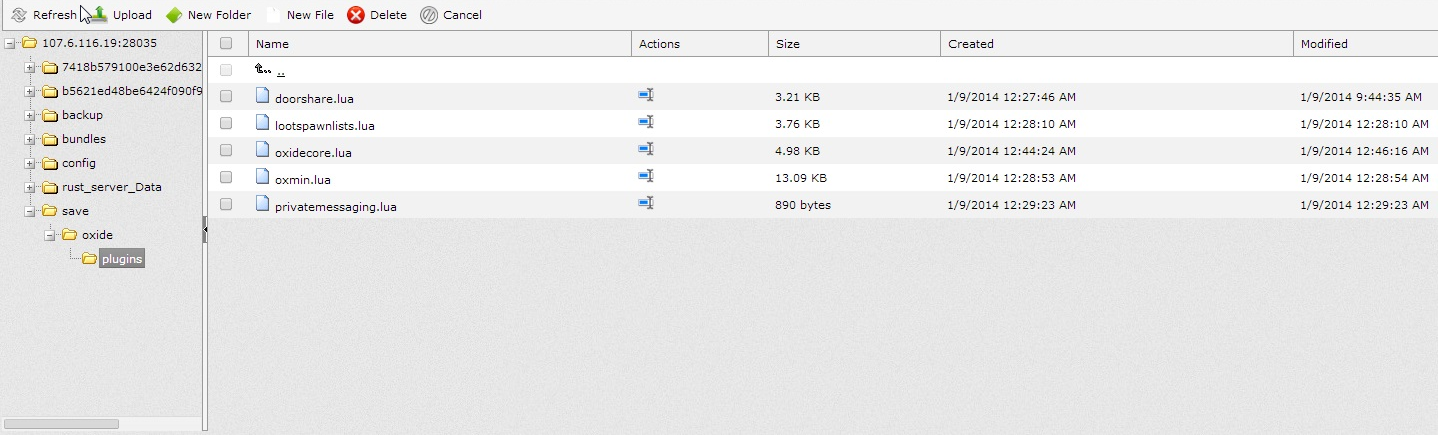
Once in File Manager navigate to /save/oxide/plugins
Step 6:
Select the mod you just uninstalled and click the delete button
Step 7:
The mod should now be removed, simply start your server and get back in game!


