
Step 1:
Log into your game panel and click 'stop' on your service, we suggest you save your server in game first. (This is very important)
Step 2:
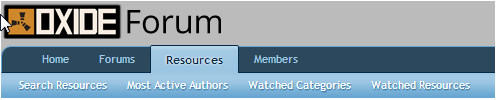
Go to the website: www.forum.rustoxide.com and navigate to 'Resources' at the top of the page
Step 3:
Find the plugin you wish to install from the list you see in the 'resources' section for example 'Door Sharing'
Step 4:
Download this file using the 'Download Lua' in the top right hand corner

Step 5:
Once downloaded place it on your desktop ready for uploading to the control panel
Step 6:
Go back to the TCadmin control panel
Step 7:
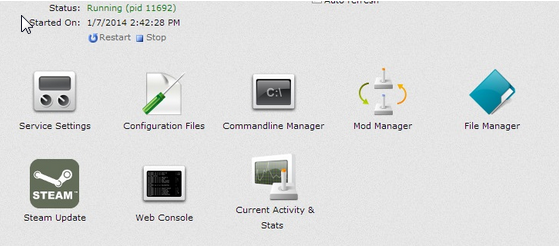
Select File Manager from the icons
Step 8:
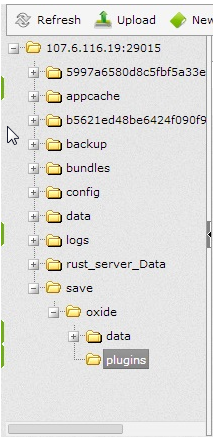
Once in File Manager navigate to /save/oxide/plugins
Step 9:
Click 'upload' above the shown directory
Step 10:
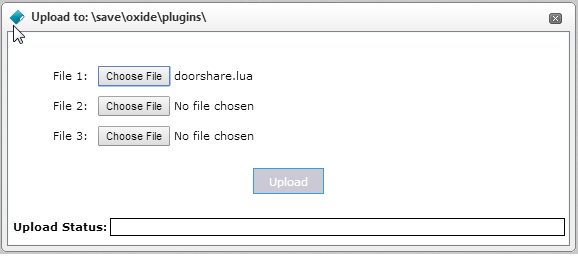
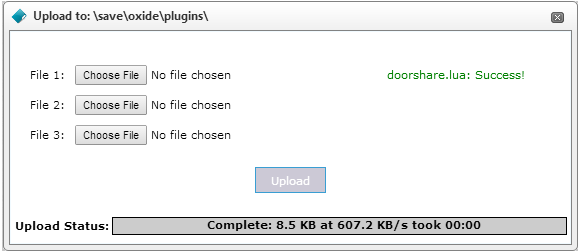
You should come to the following window. Select 'Choose File' and find the plugin you placed on your desktop
Step 11:
Once the upload is complete you will get a notification saying 'Success!' Simply close the window with the small 'x' in the right hand corner
Step 12:
The plugin you just uploaded should now be view able in the directory

Step 13:
Start your Rust server
Congratulations you have successfully uploaded a plugin to your server!
To learn how to configure your plugin use this knowledge base here


