
Step 1:
Log into your game panel and click on 'Game Services' and select the game server you wish to use
Step 2:
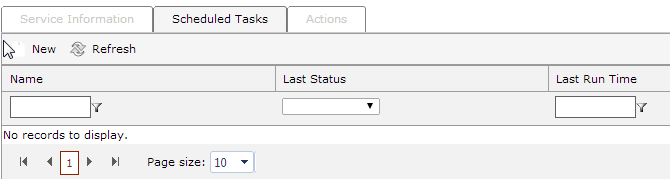
Select Scheduled Tasks from the top menu
Step 3:
Click 'New' in the top left corner
Step 4:
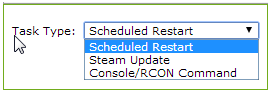
You will see the following image.
Steam Update and Schedualed restart are simple and won't be covered in this document
Step 5:
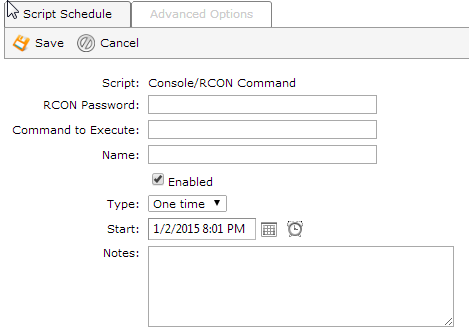
You will see the following image.
From here we can setup Schedualed tasks to execute certain commands at exact intervals.
Step 6:
Put in your RCON password and set a name for your script.
We will be running a 'save-all' command for Minecraft
Step 7:
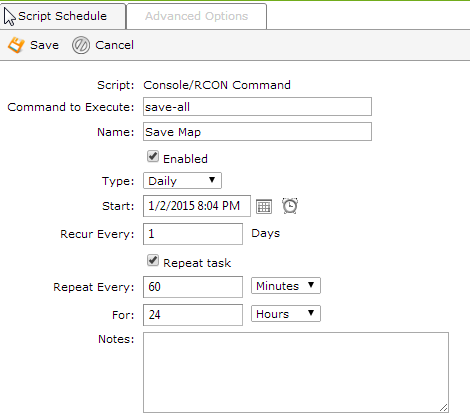
In the above image we have setup the task to run the command 'save-all' every 60 minutes.


