
How to use our custom commandline system?
To use the custom commandline system you log into your panel firstly.
Go to your game service you are looking for and then click the button called "Commandline Manager"
Then you go into "Custom Commandlines"

After, doing that, click "New"

Â
Adjust your settings by either ticking the checkbox or adding text.
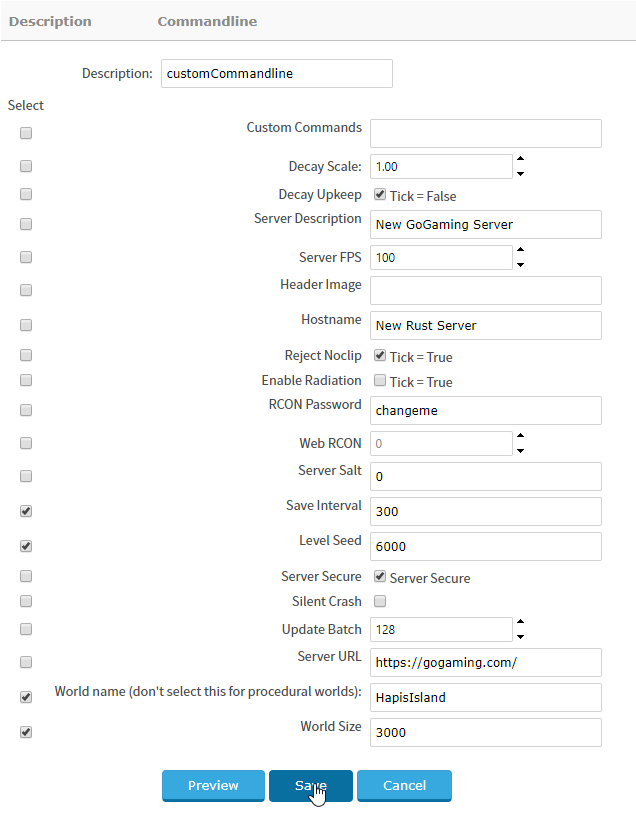
Ensure you press the checkbox to the left as this enables that line.
The right-hand side is the value, this can either be a checkbox or a text box.

Click save.
After saving, you will be able to select it by clicking "Select"
Your server will automatically restart and your settings should be saved!
Adjust your settings by either ticking the checkbox or adding text.


