
The following guide is how to add mods to your Conan Exiles server.
Â
Note: In the games current state, mods have to be downloaded by all people who wish to play on the server manually. Developers will be looking to add a better mod system once the game is further along in development.
Note: Please stop your server before making any changes, including adding mods.
Step 1:
You will need to find a mod that you like on the Steam Workshop for Conan Exiles, Subscribe to the Mod and wait for the files to download.
Â

Â
Step 2:
Find the file which would have downloaded from subscribing to the mod. This will be in a directory such as the following.
Steam\SteamApps\workshop\content\440900\862575104\MapCoords.pak
Â
Step 3:
Open your Control Panel, and click on the File Manager icon.
Browse to \ConanSandbox\Mods\
Press the upload button, and upload the .pak file that you located above.
Note: If this does not work, upload the mod to the same directory using FTP.
What is FTP
How to Access FTP
Step 4:
Note: If you don't have a modlist.txt in the \ConanSandbox\Mods\ directory press the New File button, and name it modlist.txt
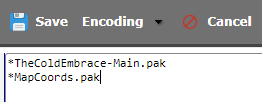
Edit your Modlist.txt
add *modname.pak to a new line in here.
Â
Press save
Â
Step 5: Start your server.
Â
Step 6:
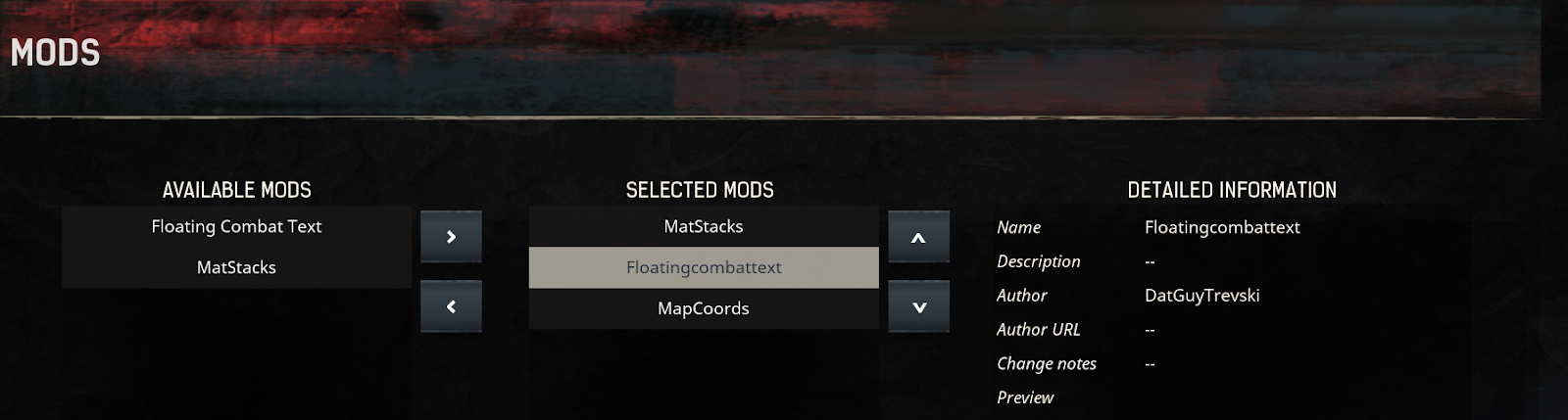
Open your game, go to the mod menu and load any Mods that you are running on your server.
Â
Â
From here you should be able to join your server with mods running.


