
Step 1:
Log into your game panel and click 'stop' on your service.
Step 2:
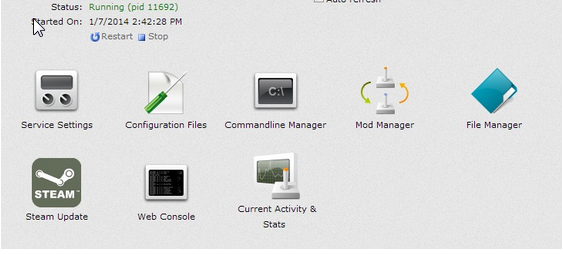
Select File Manager from the icons
Step 3:
Once in File Manager navigate to \settings\Saves\
Step 4:
You will see save folders in here, with what ever you have your world name set to (Default World1)
Step 5:
Find the Map that you wish to load and note down its full name
Step 6:Â
From the list of icons choose 'Configuration Files' then use the text editor to edit SpaceEngineers-Dedicated.cfg
Step 7:
Scroll to the bottom of you will see something along the lines of <WorldName>105thESB</WorldName>
Step 8:
Change the 'Load World' option to be the world you noted down
Step 9:
Save the configuration file and start your server


